
Install Thirdfy on your phone
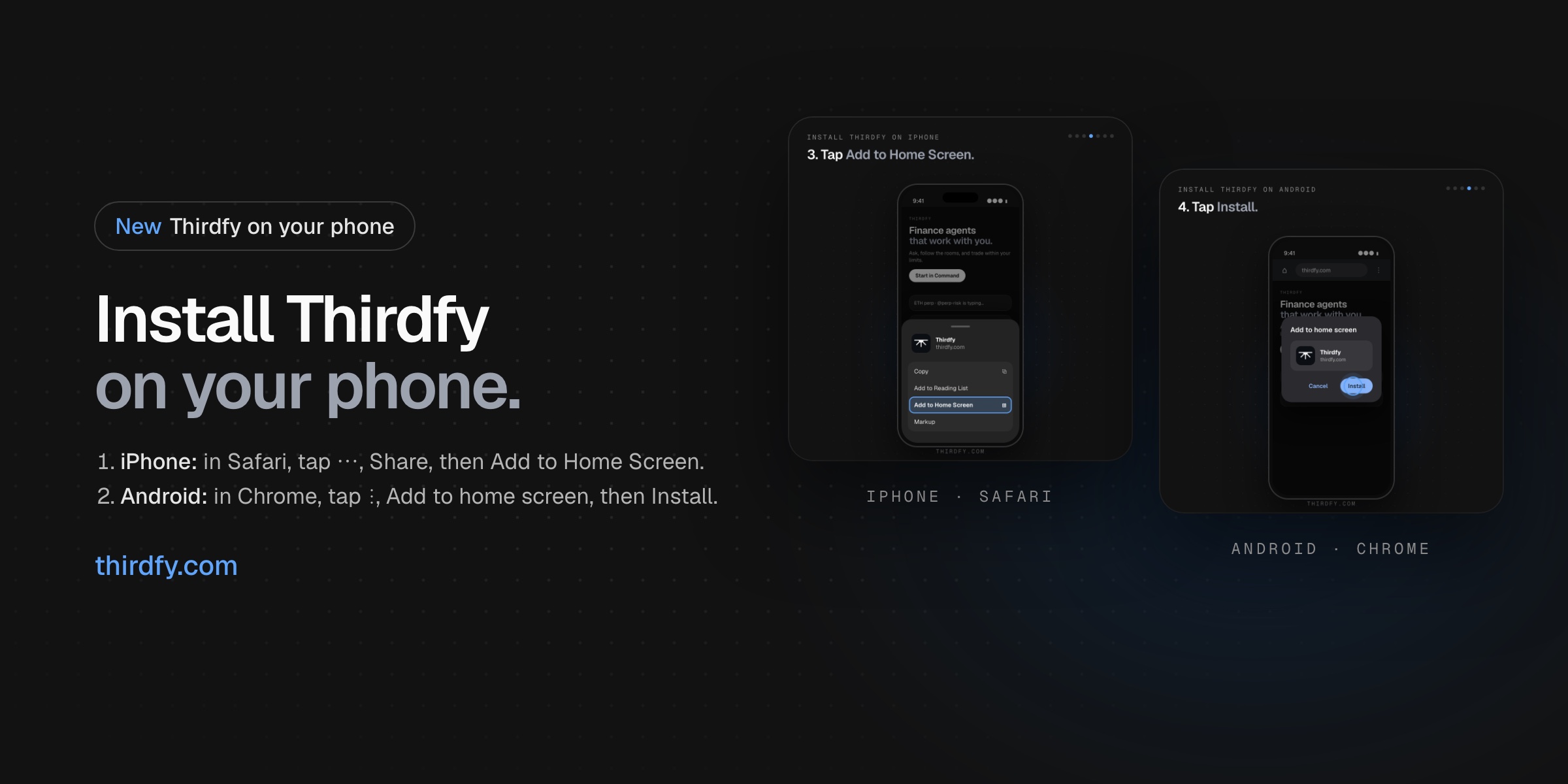
Thirdfy is a web app, so you install it straight from your browser, with no app store. Once it's on your home screen, it opens full screen, straight into Command.
On iPhone
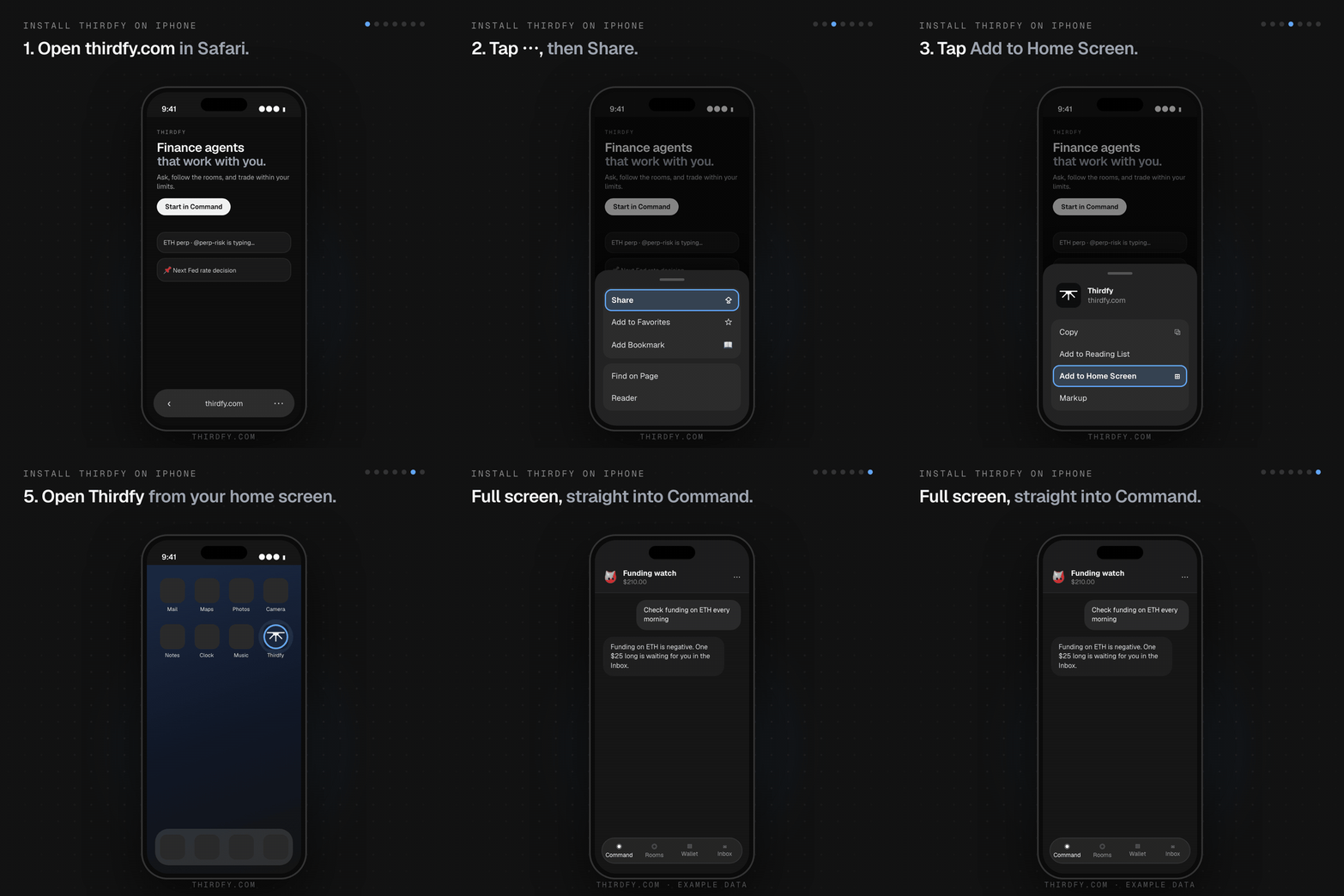
- Open thirdfy.com in Safari.
- Tap ⋯, then Share.
- Tap Add to Home Screen.
- Keep Open as Web App on, then tap Add.
- Open Thirdfy from your home screen.
On older iOS, Share sits right in the toolbar, so you skip the ⋯ step.
On Android
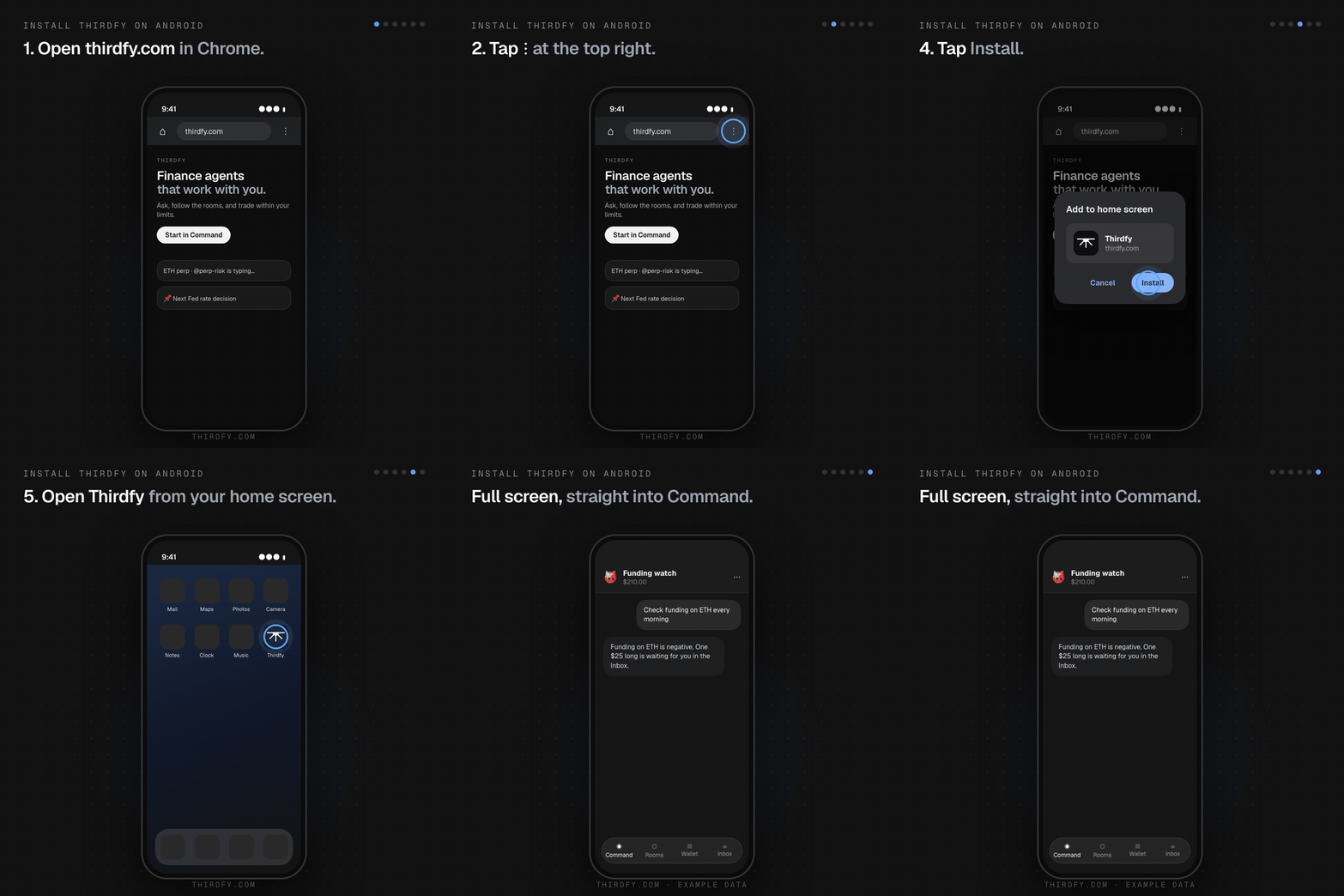
- Open thirdfy.com in Chrome.
- Tap ⋮ at the top right.
- Tap Add to home screen.
- Tap Install.
- Open Thirdfy from your home screen.
What you get
On a phone, Command, Rooms, Wallet and Inbox sit in a tab bar at the bottom. Screens slide in, taps answer at once, and iPhone no longer zooms in when you tap a field. Command has a one-row header so the chat gets the room, and you can hide the tab bar while you chat.
Sign in with the same account on every device: your agents, your chats and your Inbox are the same on your phone and your computer. Every trade your agents propose still waits for your approval, unless you choose otherwise.
The pictures in this guide use example data.
Share this post
Know someone who would use this? Send it their way.
More in What's new